
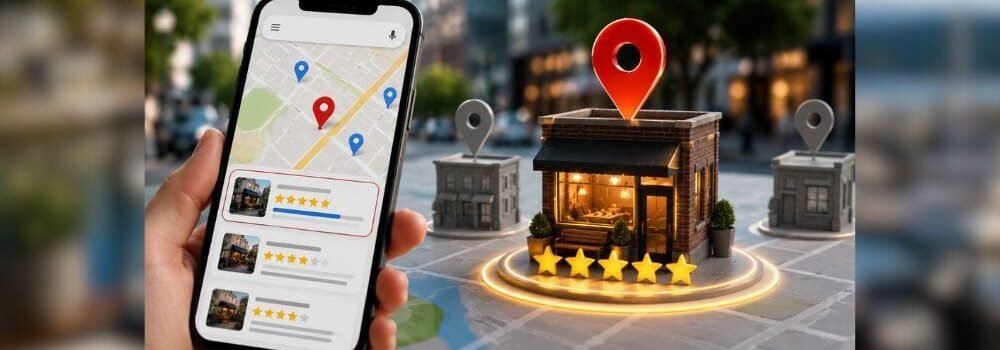
If you own a business in Tacoma, you’ve probably noticed something: when people search for your service on Google, a map appears at the top with 3 business listings. Those three spots,called the “Local Pack” or “Map Pack”,are worth more than anything else below them.
Think about it. When you search “dentist near me” or “plumber Tacoma,” do you scroll down past those three map listings? Most people don’t. They tap the first business that looks good and call them.
That’s why Google Maps ranking is the #1 priority for any Tacoma business serious about getting customers online.
The good news? You don’t need to pay Google Ads. You don’t need an expensive marketing agency. You just need to understand how Google Maps ranking works and optimize for it.
This guide reveals the exact strategies that get Tacoma businesses to rank in those coveted top 3 positions.
What is Google Maps Ranking & Why Does It Matter?
The Local Pack: Where You Want to Be
Google Maps ranking refers to your business’s position in the “Local Pack”,the three map listings that appear when someone searches for your service in Tacoma.
Here’s what it looks like:
- Search: “web designer Tacoma“
- Result: A map showing 3 businesses (Hyper Effects, Elite Web Design, Tacoma Web Design & SEO)
- Below: Organic search results, paid ads, and other listings
If you rank in the top 3, you get:
- Visibility , People see your business immediately
- Trust , Top 3 = perceived authority
- Clicks , 70% of clicks go to the top 3
- Calls , Phone calls directly from the map listing
- Website Visits , Your listing links to your website
- Reviews , People see your star rating immediately
The Data Behind Local Search
Here are the facts:
- 76% of people who search for a local business on their phone visit that business within 24 hours
- 28% of local searches result in a purchase
- 93% of customers use Google to find local businesses
- Businesses without Google Business Profile are essentially invisible
- Top 3 positions get 70% of clicks; positions 4-10 get 20%; position 11+ gets 10%
This means: if you’re not in the top 3, you’re losing 70% of potential customers to competitors who are.
The 3 Core Pillars of Google Maps Ranking
Google uses three main factors to rank businesses in Google Maps:
Pillar 1: Relevance (25% Weight)
Does your business match what people are searching for?
Google looks at:
- Your business category (dentist, plumber, web designer, etc.)
- Your business name (does it include keywords?)
- Your business description
- Your services list
- Keywords in your website content
Example: If you’re a dentist but your Google Business Profile says “family healthcare,” you won’t rank for “dentist near me.”
Pillar 2: Distance (25% Weight)
How close is your business to the person searching?
Google uses:
- Your business address (critical)
- The searcher’s location
- Straight-line distance calculation
Example: If someone searches “web designer Tacoma” from Puyallup, Google might show Puyallup businesses first, then Tacoma, then nearby areas.
This is why location-based keywords matter: “web designer Tacoma” vs. “web designer Seattle.”
Pillar 3: Prominence (50% Weight)
How authoritative and trusted is your business?
Google looks at:
- Number and quality of Google reviews
- Star rating
- Review recency (recent reviews matter more)
- Website quality
- Backlinks to your website
- Google Business Profile completeness
- Citations (directory mentions)
- Social media presence
This is the most important factor. You can’t fake prominence. It’s built over time through real customer reviews and a quality web presence.
Complete Guide: How to Rank on Google Maps in Tacoma
STEP 1: Create & Verify Your Google Business Profile (GBP)
If you don’t have a Google Business Profile, you can’t rank on Google Maps at all. Period.
How to create:
- Go to Google Business Profile (google.com/business)
- Click “Create an account”
- Enter your business name exactly as it appears legally
- Select your business category (most important)
- Enter your Tacoma business address
- Add your phone number
- Add your website URL
- Select “I own/manage this business”
Critical tip: If you have multiple locations, you need a separate Google Business Profile for each one.
How to verify:
Google will send you a postcard to your Tacoma business address. This usually takes 5-10 business days.
Once you receive it:
- Log into Google Business Profile
- Click “Verify my business”
- Enter the verification code from the postcard
Why verification matters: Unverified businesses don’t rank in Google Maps. At all. Verification proves you control the address.
If you can’t receive mail:
- Some locations can verify via phone
- Some can verify via email
- Contact Google Business Profile support for alternatives
STEP 2: Optimize Your Business Category (The Secret Ranking Factor)
Your primary business category is one of the most important ranking signals. Get this wrong and you’ll rank for the wrong keywords.
How to set your category:
- Log into Google Business Profile
- Go to “Info” tab
- Click “Business category”
- Search for your exact category
Common categories in Tacoma:
| Business Type | Primary Category | Secondary Categories |
| Dentist | Dentist | Cosmetic dentist, Orthodontist |
| Plumber | Plumber | Emergency plumber, Water heater repair |
| Web Designer | Web Designer | Web design company, Website designer |
| Restaurant | Restaurant | Italian restaurant, Fine dining |
| Real Estate Agent | Real estate agent | Real estate company, Property management |
| HVAC | HVAC contractor | Air conditioning repair, Heating repair |
| Salon | Hair salon | Hair stylist, Beauty salon |
Pro tip: Choose your category based on what people actually search for. For example:
- People search “dentist Tacoma” (not “dental professional”)
- People search “plumber Tacoma” (not “plumbing contractor”)
- People search “web designer Tacoma” (not “digital design specialist”)
STEP 3: Craft a Keyword-Optimized Business Description
Your business description appears on your Google Business Profile and helps Google understand what you do.
How to optimize:
- Log into Google Business Profile
- Go to “Info” tab
- Click “Edit business description”
- Write a 750-character description
Formula for an optimized description:
[Business Name] is a [Category] in [City] serving [service area]. We specialize in [main services] for [target customer]. [Key differentiator or guarantee]. [Call to action].
Example for a web designer:
“Hyper Effects is a web design company in Tacoma serving the South Puget Sound region. We specialize in custom website design and local SEO for small businesses. We focus on creating websites that convert visitors into customers and rank on Google. Get your free consultation today.”
Keyword optimization tips:
- Include your city name (Tacoma)
- Include your service type (web design, plumbing, dentistry, etc.)
- Mention your service area if you cover multiple cities
- Include your main differentiator (affordable, fast, local, certified, etc.)
- Add a clear call-to-action (free consultation, call today, book appointment, etc.)
STEP 4: Complete Every Single Section of Your Profile (100% Completeness)
Google Business Profile completeness is a significant ranking factor. An incomplete profile signals that you don’t take your online presence seriously.
Required sections:
✓ Business name
✓ Business category
✓ Business address
✓ Phone number
✓ Website URL
✓ Business hours
✓ Business description
Recommended sections:
✓ Business photos (10-20 high-quality)
✓ Services list with prices
✓ Business attributes (appointment scheduling, online payment, etc.)
✓ COVID-19 information (if applicable)
✓ Custom links (to specific landing pages)
✓ Q&A section (answer common questions yourself)
✓ Products (if applicable)
Photos best practices:
- Upload at least 10 photos (Google favors profiles with 10+)
- Show your business interior/exterior
- Show your team/staff
- Show your services/products in action
- Update photos seasonally
- Use high-resolution images (1600x1200px minimum)
- Include people in photos (humans = trust)
- Avoid stock photos (people can tell)
STEP 5: Build Google Reviews (The Most Important Ranking Factor)
This is where most Tacoma businesses fail.
Google reviews are the #1 signal of business prominence and trustworthiness. The ranking formula is simple:
- More reviews = higher authority
- Higher star rating = higher authority
- Recent reviews = higher authority
How reviews impact ranking:
A business with:
- 50 reviews, 4.8 stars → Ranks high
- 10 reviews, 4.8 stars → Ranks lower
- 50 reviews, 3.5 stars → Ranks much lower
- 0 reviews → Doesn’t rank competitively
How to get Google reviews:
- Ask customers directly (in-person, phone, email, text)
- After completing service: “Would you mind leaving a Google review?”
- Make it easy: Send them your Google Business Profile link
- Timing: Ask within 24-48 hours of service completion
- Use review request emails
- Google allows automated review links
- Send email 2-3 days after service
- Include a direct link to your Google review page
- Example: “It was great working with you. If you’re happy with the results, would you share your experience on Google?”
- Add a QR code to your receipt
- Print your Google review QR code on receipts
- Customers can scan and leave a review immediately
- Works especially well for restaurants, retail, services
- Use Google’s official review link
- Go to your Google Business Profile
- Click “Customers” → “Reviews”
- Find “Ask for reviews” button
- Share that link via email, SMS, or print
Critical reminder: Never buy fake reviews. Google detects them. You’ll get penalized.
How to respond to reviews:
- Respond to ALL reviews (positive and negative)
- Within 24 hours if possible
- Keep responses professional and brief
- For negative reviews: Offer to fix the problem, don’t get defensive
- Include your location name and thank customers by name when possible
Example response to a 5-star review: “Thank you [Name]! We’re thrilled you’re happy with your new website. We look forward to supporting your business growth!”
Example response to a 3-star review: “Thank you for the feedback, [Name]. We’re sorry you experienced [issue]. We’d like to make this right. Please call us at [phone] so we can address your concerns directly.”
STEP 6: Optimize Your Website for Local SEO
Your Google Business Profile doesn’t rank in isolation. Google also looks at your website quality and local SEO signals.
On-page local SEO:
- Title tags include location
- ✓ “Web Designer in Tacoma | Hyper Effects”
- ✗ “Professional Web Design Services”
- Meta descriptions include location
- ✓ “Professional web design in Tacoma for small businesses”
- ✗ “We design beautiful websites”
- H1 tags include location
- ✓ “Web Designer in Tacoma, WA”
- ✗ “Web Design Services”
- Body content includes location naturally
- Mention “Tacoma” and nearby cities (Puyallup, Gig Harbor, Lakewood)
- Include “South Puget Sound” or “Pierce County” if you serve wider area
- Mention local landmarks or neighborhoods (Stadium District, Waterfront, etc.)
- Schema markup helps Google understand you’re a local business with LocalBusiness structure
- Local content on your website
- Blog posts about Tacoma
- Neighborhood guides
- Local customer testimonials with locations
- Local event sponsorships mentioned
- Local news mentions
STEP 7: Build Local Citations (Directory Mentions)
A “citation” is any mention of your business name, address, and phone number (NAP) on another website. Citations are a trust signal that Google uses.
Where to build citations:
- Local business directories
- Google Business Profile (done)
- Apple Maps
- Bing Places
- Facebook Business Page
- Yelp
- Industry-specific directories
- Avvo (law firms)
- Healthgrades (healthcare)
- BBB (Better Business Bureau)
- Angi (home services)
- Zagat (restaurants)
- Zillow (real estate)
- Indeed (employers)
- General directories
- Yelp
- Apple Maps
- MapQuest
- TripAdvisor (if tourism-related)
- Yellow Pages
- Local directories
- Tacoma chamber of commerce
- Pierce County business directory
- Local event sites
Citation best practices:
- Consistency is critical: Your business name, address, and phone must be exactly the same everywhere
- Prioritize high-authority directories first (Google Business Profile, Apple Maps, Bing Places, Facebook, Yelp)
- Aim for 20-50 citations minimum across all directories
- Use a tool to check consistency (Moz Local, BrightLocal, Yext)
STEP 8: Encourage and Display Local Backlinks
A backlink from a local website is a strong signal that your business is important in your community.
How to get local backlinks:
- Local directories & chamber of commerce
- Join Tacoma Chamber of Commerce
- Get listed on local business association sites
- Local news mentions
- Sponsor local events (Tacoma events, Pierce County fundraisers)
- Contact local journalists with newsworthy updates
- Community partnerships
- Partner with other Tacoma businesses
- Guest post on local blogs
- Cross-promote with local businesses
- Local sponsorships
- Sponsor youth sports teams
- Sponsor local nonprofits
- Get mentioned on their websites
- Local content
- Create neighborhood guides
- Publish Tacoma-specific tips
- Reference and link to local resources
STEP 9: Optimize for “Near Me” Searches
“Near me” searches are extremely common (40%+ of mobile searches) and should be a dedicated focus.
How to rank for “near me” searches:
- Have a physical address
- Google can’t rank you in “near me” results without a verified address
- Make sure your address is accurate in Google Business Profile
- Get mobile-optimized
- 90%+ of “near me” searches happen on mobile
- Your website MUST be mobile-responsive
- Fast load time is critical
- Target “near me” keywords
- “Web designer near me”
- “Best dentist near me”
- “Plumber near me”
- Add local keywords to your content
- Mention your service area explicitly in titles and copy
STEP 10: Monitor Your Google Maps Performance
You can’t improve what you don’t measure. Google Business Profile gives you free analytics.
How to check your performance:
- Log into Google Business Profile
- Go to “Overview” tab
- Scroll down to “See more insights”
- View search queries, customer actions, calls, directions, and website visits
Metrics to track monthly:
| Metric | Meaning | Goal |
| Search queries | How many times you appeared in search results | Growing month-over-month |
| Customer actions | Calls + directions + website clicks | Increasing |
| Phone calls | Direct calls from Google Business Profile | Should be 20-50% of your calls |
| Direction requests | People asking for directions | Should be 5-20% of actions |
| Website clicks | People clicking your website link | Should be 40-60% of actions |
How to improve performance:
- Add more photos (monthly)
- Respond to all reviews (daily)
- Add new posts (weekly)
- Update business information as needed
- Monitor for duplicate listings
- Check for negative reviews and respond professionally
Common Google Maps Ranking Mistakes (And How to Avoid Them)
- Incomplete Google Business Profile → Fill out all sections, especially photos and services
- Inconsistent Business Name → Make sure name is exactly the same everywhere
- Wrong Business Category → Choose the exact category people search for
- No Reviews Strategy → Ask every customer for a Google review within 24 hours
- Ignoring Negative Reviews → Respond professionally and offer to fix problems
- Outdated Business Hours → Update if you change them seasonally
- Wrong Phone Number → Use your primary business phone, keep it consistent
- Buying Fake Reviews → Never buy reviews; ask real customers only
- Stuffing Keywords in Business Name → Use your actual business name
- Not Optimizing Website for Local SEO → Add location keywords to your website
Timeline: When Will You See Results?
Realistic expectations for Google Maps ranking:
| Timeframe | What Happens |
| Week 1-2 | Google crawls your updated profile; slight visibility increase |
| Week 3-4 | First 1-2 reviews come in; visibility improves |
| Month 2 | 5-10 reviews accumulated; appearing in more local searches |
| Month 3 | 15-20 reviews; begin ranking for your main keywords |
| Month 4-6 | 30+ reviews; rank in top 5 for most keywords |
| Month 6-12 | 50+ reviews; rank in top 3 for main keywords |
Reality: Most Tacoma businesses see meaningful results (top 5 ranking, 5-10 reviews) within 3 months if they follow this guide consistently.
Quick Reference Checklist
Phase 1: Foundation (Week 1)
- Create/claim your Google Business Profile
- Verify your business (mail-in postcard)
- Choose your primary category
- Add phone number and address
- Write your business description (keyword-optimized)
Phase 2: Completeness (Week 2-3)
- Upload 10-15 high-quality photos
- Fill out all profile sections
- Add services list (with prices if applicable)
- Enable appointment booking (if applicable)
- Add business attributes
Phase 3: Authority Building (Week 4+)
- Create a review-asking strategy
- Ask first 10 customers for reviews
- Respond to all reviews
- Get listed in 3-5 local directories
- Check NAP consistency across directories
- Optimize your website for local SEO
Phase 4: Ongoing (Monthly)
- Add 2-3 new photos monthly
- Ask customers for reviews
- Respond to all reviews
- Monitor your analytics
- Update business information as needed
- Check for duplicate listings
Your Next Step: Get Started This Week
Google Maps ranking doesn’t happen by accident. It requires a strategy and consistent effort.
Here’s what to do right now:
- Today: Create or claim your Google Business Profile (15 minutes)
- This week: Optimize your profile with photos and description (2-3 hours)
- This week: Ask your first 5 customers for Google reviews (30 minutes)
- Next week: Optimize your website for local SEO (1-2 hours)
- Ongoing: Ask every customer for a review (5 minutes per customer)
If you’re in Tacoma and want help with your local SEO strategy,from Google Business Profile optimization to citation building to review management,we can walk you through this process.
Ready to rank on Google Maps in Tacoma? Schedule a free local SEO consultation with Hyper Effects to discuss your Google Maps strategy. We’ll audit your current position, identify gaps, and create a roadmap to get you ranking in the top 3.
Frequently Asked Questions: Google Maps Ranking
Q: How long does it take to rank on Google Maps?
Answer: Most businesses see results in 2-3 months if they actively build reviews and optimize their profile. Top 3 ranking typically takes 6-12 months depending on competition.
Q: Do I need a website to rank on Google Maps?
Answer: Technically no, but your ranking will be higher with a quality website. Google considers your website prominence as part of ranking.
Q: What if my business doesn’t have a physical address?
Answer: Google Maps primarily shows businesses with physical locations. If you’re service-based, list your office/warehouse address.
Q: Can I rank for multiple locations at once?
Answer: Yes, but you need a separate Google Business Profile for each location.
Q: How many reviews do I need to rank?
Answer: Generally: 0-5 reviews = hard to rank; 5-20 = can rank in pack; 20-50 = likely top 10; 50+ = likely top 3.
Q: Should I respond to every review?
Answer: Yes. Responding signals you’re actively managing your business and influences potential customers.
Q: What’s the best time to ask for reviews?
Answer: Right after completing service (within 24-48 hours) when the customer is happiest.